




All 3D CAD Training Courses

3DEXPERIENCE CATIA FoundationThe 3DEXPERIENCE CATIA Foundation course is aimed at Mechanical and Sheet Metal Designers and will teach you how to create simple parts, assemblies and drawings….
The 3DEXPERIENCE CATIA Foundation course is aimed at Mechanical and Sheet Metal Designers and will teach you how to create simple parts, assemblies and drawings….

3DEXPERIENCE CATIA Foundation PlusThe 3DEXPERIENCE CATIA Foundation Plus training course explores advanced sketching and surface-based modelling techniques. This learning path provides you with a guided and systematic approach…
The 3DEXPERIENCE CATIA Foundation Plus training course explores advanced sketching and surface-based modelling techniques. This learning path provides you with a guided and systematic approach…

CATIA V5 FoundationThis course will teach you about CATIA V5 Foundation. You will learn how to build simple parts and assemblies in CATIA, and how to make simple drawings of those parts and assemblies.
This course will teach you about CATIA V5 Foundation. You will learn how to build simple parts and assemblies in CATIA, and how to make simple drawings of those parts and assemblies.

CATIA V5 Foundation PlusThis CATIA V5 Foundation Plus learning path will teach you how to start a complex design project from its specifications (top down approach) and complete it by reusing existing data. It will focus on advanced skills and concepts that enable you to create and analyse complex parts and assemblies.
This CATIA V5 Foundation Plus learning path will teach you how to start a complex design project from its specifications (top down approach) and complete it by reusing existing data. It will focus on advanced skills and concepts that enable you to create and analyse complex parts and assemblies.

CATIA V5 Surface DesignThis CATIA V5 Surface Design course will teach you how to create curves and surfaces using the Generative Shape Design workbench. You will learn how to analyse the wireframe and surface quality and rectify the defects. You will also learn how to work in a multi-model environment with published surfaces.
This CATIA V5 Surface Design course will teach you how to create curves and surfaces using the Generative Shape Design workbench. You will learn how to analyse the wireframe and surface quality and rectify the defects. You will also learn how to work in a multi-model environment with published surfaces.

CATIA V5 Surface Design ExpertThe 2-day CATIA V5 Surface Design Expert course will first recall and summarize the tools taught in the Surface Design course. It will then capitalize…
The 2-day CATIA V5 Surface Design Expert course will first recall and summarize the tools taught in the Surface Design course. It will then capitalize…
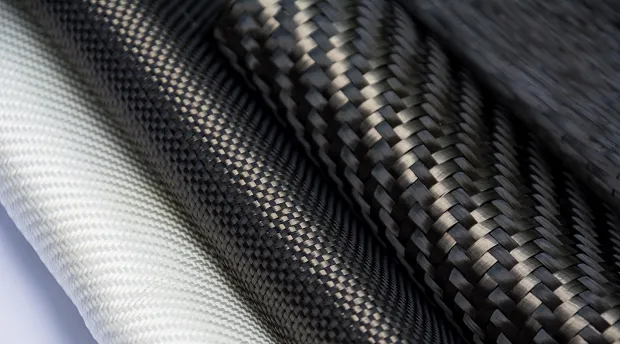
CATIA V5 Composite Design & Manufacturing PrepThis course CATIA V5 Composite Design and Manufacturing preparation course will first teach you how to design simple Composites Parts using a Manual approach. You…
This course CATIA V5 Composite Design and Manufacturing preparation course will first teach you how to design simple Composites Parts using a Manual approach. You…

CATIA V5 Sheet Metal DesignThis Fundamental CATIA V5 Sheet Metal Design (SMD) course will teach you how to create a sheet metal part using the standard wall, bend and stamping features. You will view how user features can be incorporated into a design and how you can make use of both standard and user-defined materials. Finally you will learn how to create a flat pattern and produce a detailed, annotated drawing.
This Fundamental CATIA V5 Sheet Metal Design (SMD) course will teach you how to create a sheet metal part using the standard wall, bend and stamping features. You will view how user features can be incorporated into a design and how you can make use of both standard and user-defined materials. Finally you will learn how to create a flat pattern and produce a detailed, annotated drawing.

3DEXPERIENCE for Surface DesignersThis 3DEXPERIENCE for Surface Designers training course will teach you how to create curves and surfaces, assemble, re-limit and connect geometries smoothly through wireframe analysis.
This 3DEXPERIENCE for Surface Designers training course will teach you how to create curves and surfaces, assemble, re-limit and connect geometries smoothly through wireframe analysis.

Mechanical Designer 3DEXPERIENCE TransitionMechanical Designer 3DEXPERIENCE Transition course you will learn how to design a new part with the 3DEXPERIENCE platform.
Mechanical Designer 3DEXPERIENCE Transition course you will learn how to design a new part with the 3DEXPERIENCE platform.
Surface Designer 3DEXPERIENCE TransitionThis Surface Designer 3DEXPERIENCE Transition course addresses the needs of surface designers.
This Surface Designer 3DEXPERIENCE Transition course addresses the needs of surface designers.

CATIA V5 Aerospace Sheet MetalThis CATIA V5 Aerospace Sheet Metal course will teach you how to define parameters for an aerospace sheet metal part. You will create and modify the design of Hydroformed Sheet Metal Parts then generate the flattened part
This CATIA V5 Aerospace Sheet Metal course will teach you how to define parameters for an aerospace sheet metal part. You will create and modify the design of Hydroformed Sheet Metal Parts then generate the flattened part

3DEXPERIENCE CATIA CompositesIn this 3DEXPERIENCE CATIA Composites course you will discover and practice the key capabilities of the Airframe Composites Designer role. You will also learn how to design composites parts using the Manual and Grid Approach.
In this 3DEXPERIENCE CATIA Composites course you will discover and practice the key capabilities of the Airframe Composites Designer role. You will also learn how to design composites parts using the Manual and Grid Approach.
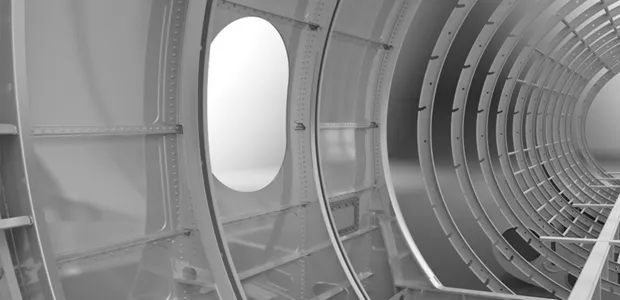
3DEXPERIENCE CATIA Sheet Metal DesignThis 3DEXPERIENCE CATIA Sheet Metal Design course will teach you how to use the Bent Part Design app to create and modify a sheet metal part. You will learn how to define the sheet metal parameters and create features such as walls, bends, cut outs and corners.
This 3DEXPERIENCE CATIA Sheet Metal Design course will teach you how to use the Bent Part Design app to create and modify a sheet metal part. You will learn how to define the sheet metal parameters and create features such as walls, bends, cut outs and corners.
Can't find the Training Course you need?
Find the right training for you by exploring all our courses in one place. Need help deciding? Get in touch and we’ll point you in the right direction.
Training Methods
Choose from three different training methods available to you

Group / Classroom Training
Receive 3D CAD Training training in a group in a traditional classroom environment. Courses can be taken in one of our training locations in the UK, Ireland, US or Canada using DS approved training content and methodologies.
Advantages
- Cost effective training method.
- Leave the office to concentrate on learning.
- Learn more through group questions and feedback.

Live Online Training
With online training you will experience an interactive learning environment where you can give feedback, gain access to the training files and get time to work on training exercises.
Advantages
- Online courses can maximise convenience and save on travel expenses.
- More effective than video based training, with recorded videos learners are often not as focused on the training and skip exercises.

On-Site Training
Receive training at your place of work. This style of flexible training is perfect for teams or individuals who are faced with a specific challenge and require personalized courses with on-the-job coaching.
Advantages
- Use our state-of-the-art mobile classroom at your facility.
- Bring your team up to a consistent level of knowledge by having them take the same training at the same time.
- Benefit from flexible scheduling options.
Features & Benefits of Training
Discover the benefits of professional, instructor-led training over eLearning content.
Book your next Training Course
If you have any questions about training, want to arrange a bespoke training course or want to discuss booking onto a course please contact our training team.